
Product
One workspace from marketplace order to verified pickup.
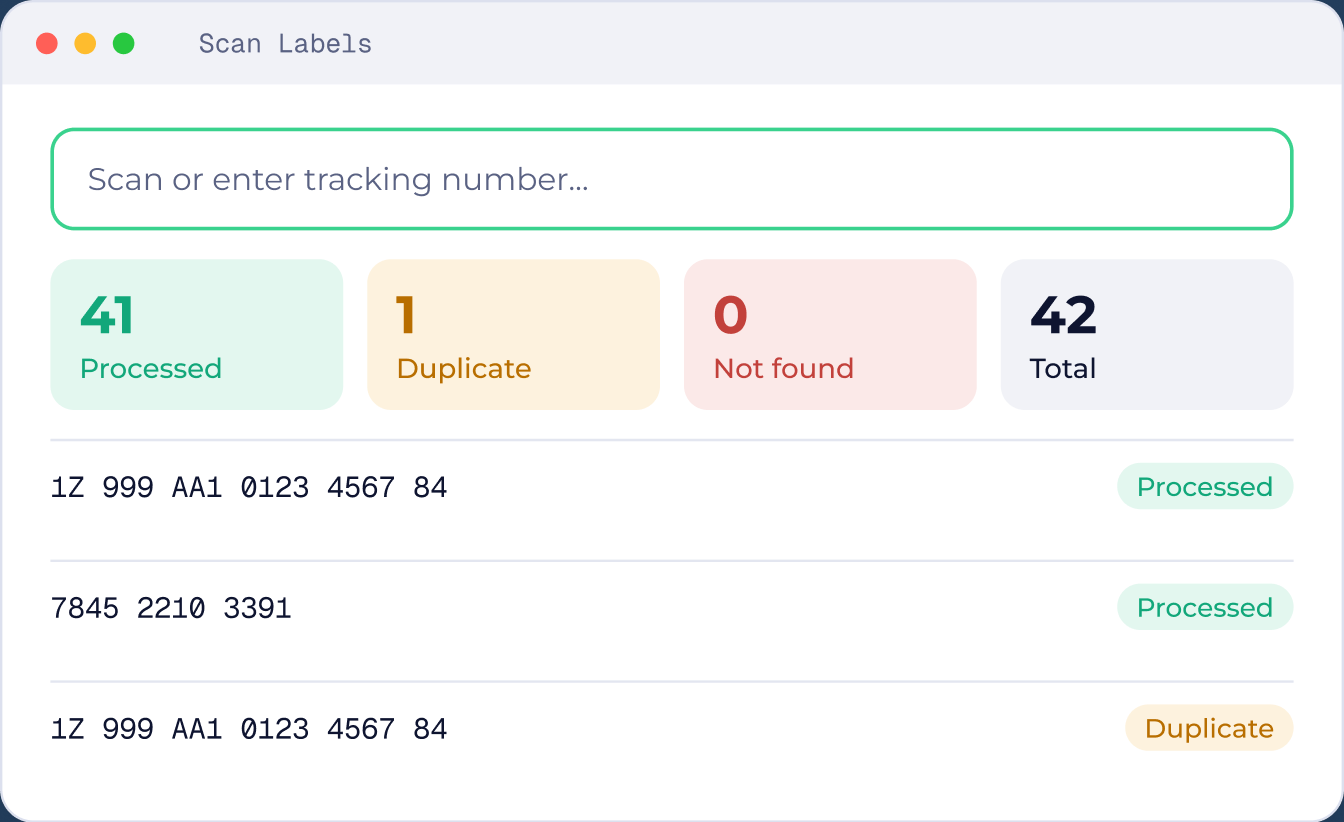
Pull in orders from seven marketplaces, rate shop UPS, FedEx and USPS, print labels to your warehouse printers, and scan every box before the carrier arrives.






Status buckets
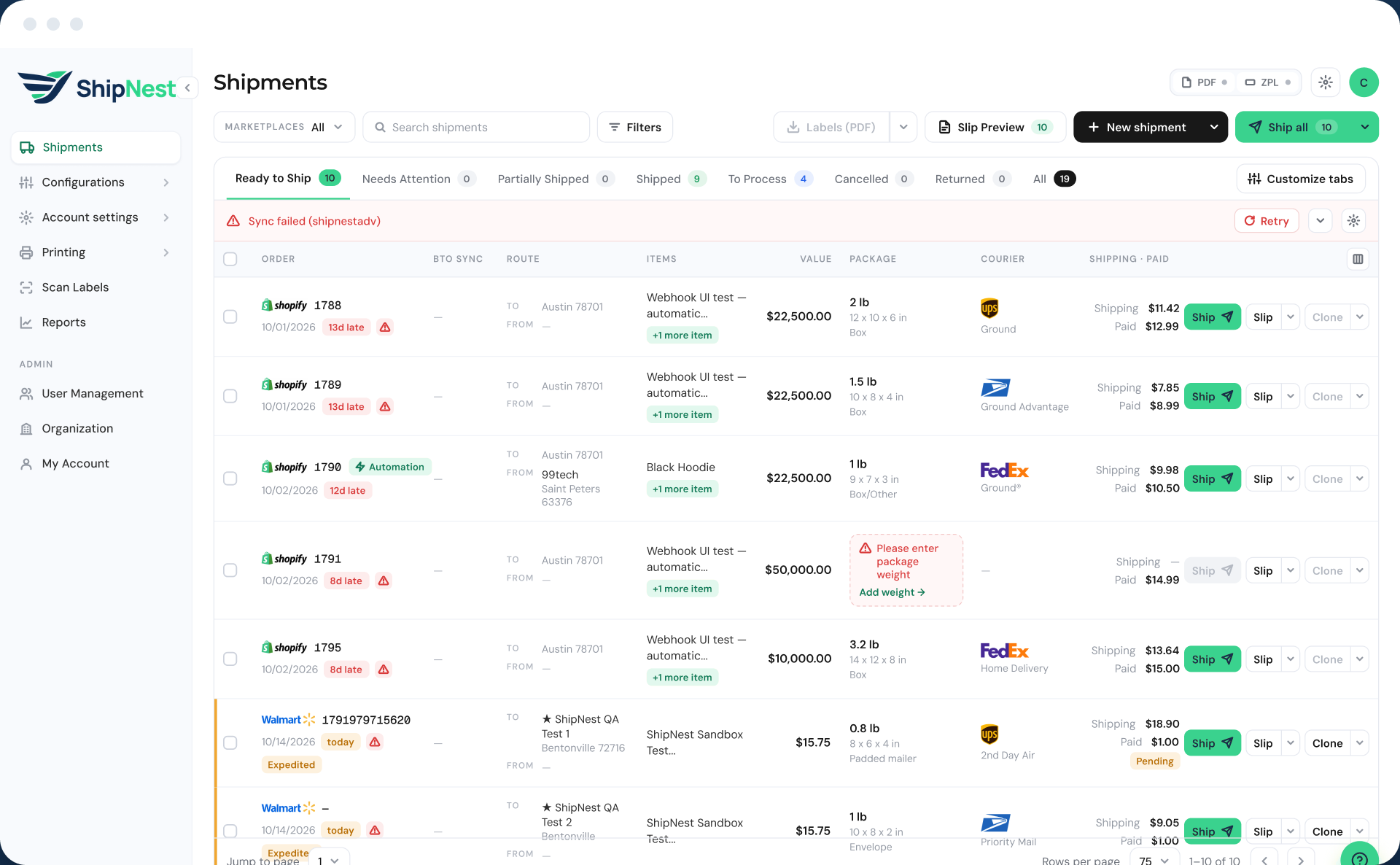
Every order has a clear status.
You always know what is ready, what needs a person and what is waiting for the truck.You always know what is ready, what needs a person, and what is waiting for the truck.
Ready to Ship
New orders with complete information
 1788
 1789
 1790

Needs Attention
Missing or invalid address, weight or items
Partially Shipped
Multi package orders with boxes still open
To Process
Labelled, waiting for a scan or pickup
17871785Shipped
Shipment created with tracking
1786Cancelled
Confirmed cancellations
Returned
Orders with a return shipment

Built around the five jobs of a shipping desk.
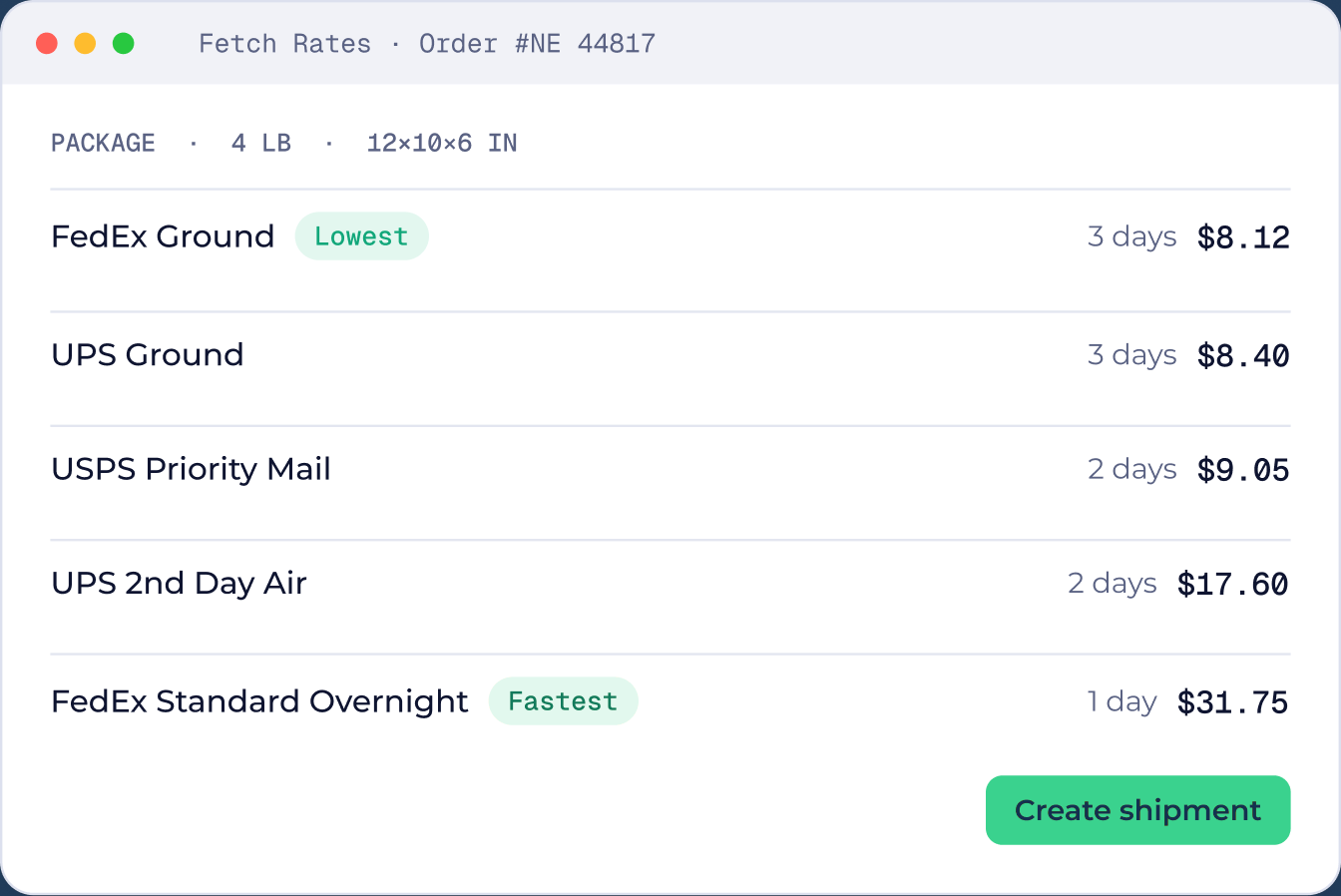
Pick the right rate on every box.
Fetch live rates for each package and choose on cost or delivery time, without opening a carrier site.
 Live UPS, FedEx and USPS rates
- Lowest cost and fastest option flagged
- A rate for each package on multi package orders
More capabilities
The details that save time every day.
Order 1790
Black Hoodie +1 more item

Primary shipment
Box 1 · own label and tracking
Secondary shipment
Box 2 · own label and tracking
Multi package and partial shipments
Split one order into primary and secondary shipments, each with its own label and tracking.

Packing slip · 1788
Packing slip · 1789
Packing slip · 1790
Bulk ship and slip preview
Select many orders and ship them together, with packing slips previewed first.
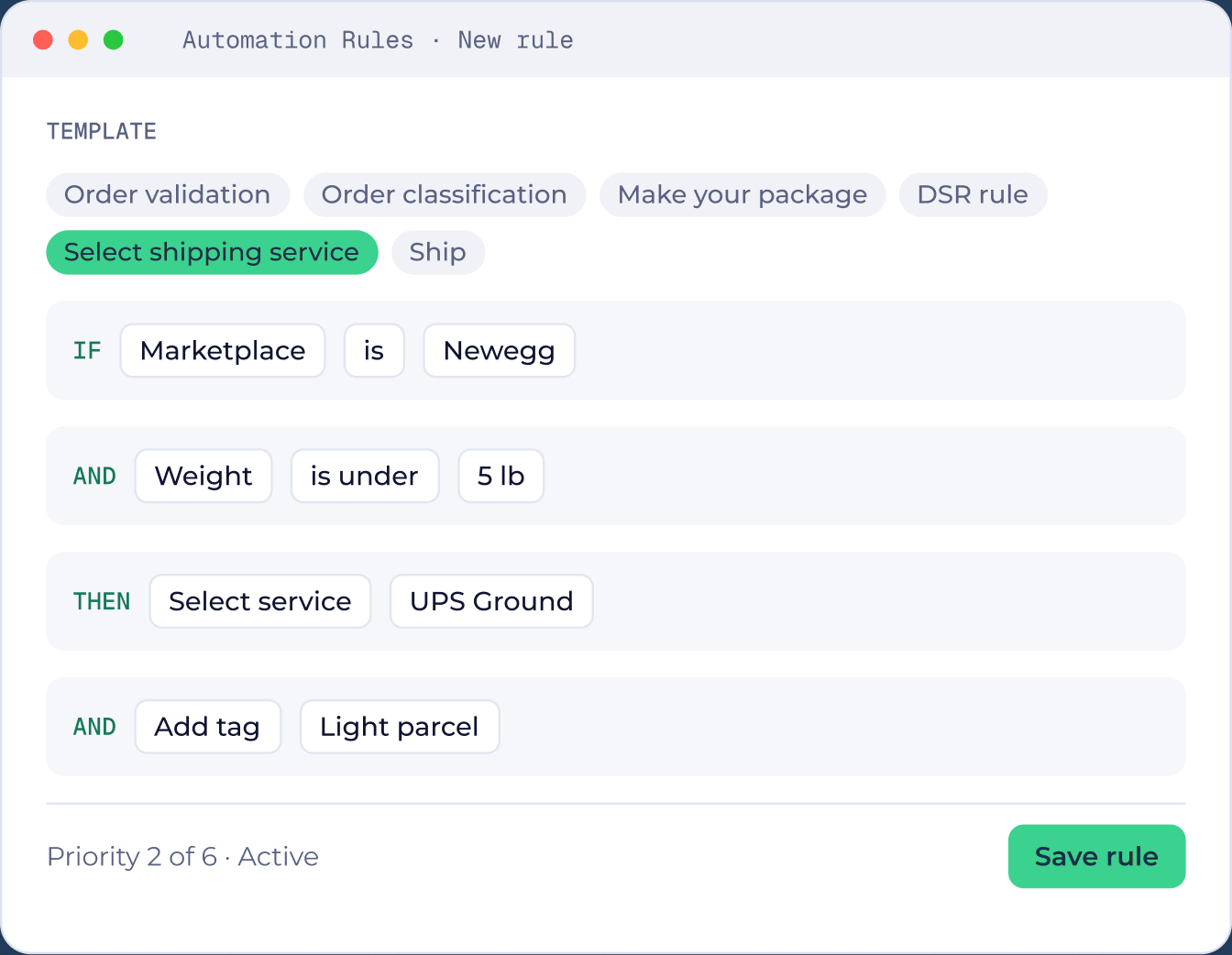
When weight is under 5 lb
Add tag: Light parcel
Tags
Label orders by channel, customer, workflow or special handling, by hand or by rule.
Custom packages
Save box sizes once and pick them during shipment creation or in rules.
Clone and clone with items
Reuse an address and shipment details, or send a separate package with different items.
Shipping Log
Every shipment action recorded with date, user, action and description.

Multi package and partial shipments
Split one order into primary and secondary shipments, each with its own label and tracking.

Bulk ship and slip preview
Select many orders and ship them together, with packing slips previewed first.

Tags
Label orders by channel, customer or special handling, by hand or by rule.

Custom packages
Save box sizes once and reuse them on every order.

Clone and clone with items
Reuse a shipment for a replacement or a second package.

Shipping Log
Every shipment action recorded with date, user and description.
Roles
Same workspace. Three different views.
Each person sees only what their job needs.Each person sees only what their job needs, from the full admin menu down to a single scan screen.
Admin
Full accessEvery module, setting, carrier account and workflow.
 Shipments
- Configurations
 Account settings
 Printing
 Scan Labels
 Reports
 User Management
- Organization
User
Full workflowOrders, shipments, rules, printing and returns.
- Shipments
- Configurations
- Account settings (hidden)
- Printing
- Scan Labels (hidden)
- Reports (hidden)
- User Management (hidden)
- Organization (hidden)
Warehouse
Scan onlyScan Labels only. Everything else is hidden.
- Shipments (hidden)
- Configurations (hidden)
- Account settings (hidden)
- Printing (hidden)
- Scan Labels
- Reports (hidden)
- User Management (hidden)
- Organization (hidden)
Admin
Every module, setting, carrier account and workflow.
Full access
User
Orders, shipments, rules, printing and returns.
Full workflow
Warehouse
Scan Labels only. Everything else is hidden.
Scan only

See ShipNest in 20 minutes.
A live walkthrough of ShipNest, from new order to scanned box, with time for your questions.