


Newegg shipping with ShipNest.
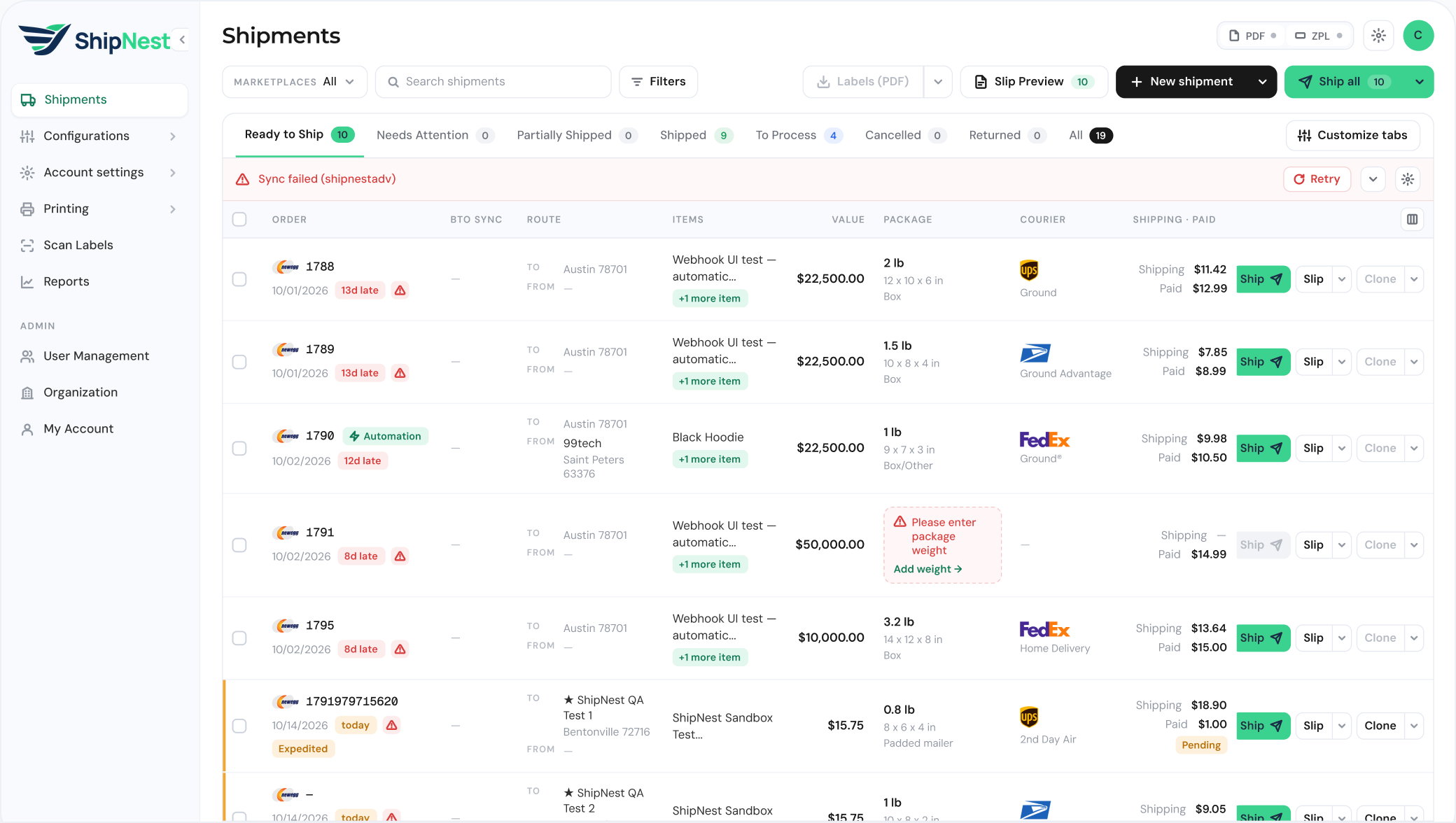
Bring every Newegg Marketplace order into one queue, rate shop UPS, FedEx and USPS, and scan each box before pickup.

Newegg Marketplace
● Connected
Live rates · 14 lb desktop
 FedEx Home DeliveryCheapest$16.90
 UPS Ground$18.42
 USPS Ground Advantage$21.15
- Connection
- API credentials
- Orders
- On demand or on a schedule
- Carriers
- UPS, FedEx, USPS
- Labels
- PDF or ZPL
- Connection
- API credentials
- Orders
- On demand or on a schedule
- Carriers
- UPS, FedEx, USPS
- Labels
- PDF or ZPL
What syncs
Your Newegg orders, ready to ship.
Into ShipNest

New orders
Pulled in on demand or on a schedule you set.

Items and quantities
Every line on the order, ready to pick and pack.

Ship to address
The buyer’s address, carried straight onto the label.

Missing details
Orders that can’t ship yet go to Needs Attention.
Back to Newegg
Tracking number and shipped status go back to the Newegg order once the label is created, so the buyer is updated without anyone copying numbers across.
New orders
Pulled in on demand or on a schedule you set.
Items and quantities
Every line on the order, ready to pick and pack.
Ship to address
The buyer’s address, carried straight onto the label.
Missing details
Orders that can’t ship yet go to Needs Attention.
Back to Newegg
Tracking number and shipped status go back to the Newegg order once the label is created.
How to connect
Connected in three steps.
No developer needed.
Configuration › Webstore Settings
 Shopify storeConnectedAdd store
 Amazon SellerConnected
Open Webstore Settings
Go to Configuration, then Webstore Settings, and choose Add store.
Marketplace
NeweggAPI key
••••••API secret
••••••••••Add Newegg
Pick Newegg and enter the API credentials from your Newegg seller account.
- Sync12 new in Ready to Ship1801Gaming monitor 27"Ready1802Mini PC, 16 GBReady
Sync your orders
Click Sync. New Newegg orders appear in Ready to Ship.


Open Webstore Settings
Go to Configuration, then Webstore Settings, and choose Add store.

Add Newegg
Pick Newegg and enter the API credentials from your Newegg seller account.
Sync your orders
Click Sync. New Newegg orders appear in Ready to Ship.
Built for Newegg sellers
What matters when you ship electronics.
Monitor, 22 lb
Rate shop heavy boxes
Compare live UPS, FedEx and USPS rates on every laptop, desktop and monitor before you buy the label.
 Primary · Desktop tower, 18 lb1Z 4F1 702 0391 2281Secondary · Keyboard and mouse, 3 lb1Z 4F1 702 0391 2290
Multi package orders
Split bundles into primary and secondary shipments, each with its own label and tracking.
 1Z 4F1 702 0391 2281Processed
Scan before pickup
Confirm every Newegg box with a scan so nothing leaves the dock without a valid label.
Rate shop heavy boxes
Compare live UPS, FedEx and USPS rates on every laptop, desktop and monitor.
Multi package orders
Split bundles into primary and secondary shipments, each with its own label.
Scan before pickup
Confirm every Newegg box with a scan before it leaves the dock.
FAQ
Newegg questions.
Yes. Newegg Business is a separate store connection, and its orders land in the same queue.



See ShipNest in 20 minutes.
A live walkthrough of ShipNest, from new order to scanned box, with time for your questions.