How electronics sellers stop mis-ships with scan to verify.
A wrong label on a refurbished laptop costs a return, a refund and a review. Here is how teams set up a scan before pickup so every box leaves the dock with the right label.

Most mis-ships are not packing mistakes. They happen in the minute between printing a label and taping it to a box, when two laptops look the same and the labels came off the printer in a batch.
Why mis-ships happen
Electronics are hard to tell apart once they are boxed. A refurbished laptop with 8 GB of memory and one with 16 GB look identical on the packing table, and the buyer only finds out when it arrives.
- Similar units sit next to each other on the same shelf.
- Multi package orders split one sale across several boxes.
- Labels print in batches and get picked up out of order.
What scan to verify means
Before a box goes on the pickup cart, a packer scans its tracking number. ShipNest checks it against the shipment and tells them straight away whether the label belongs to an order that is ready to go.
Scan Labels
Setting it up in ShipNest
Start with roles. Give packers the Warehouse role. They will see Scan Labels and nothing else, so settings and carrier credentials stay out of reach.
Then put a scanner at the dock. Any USB barcode scanner works. Set it up on the workstation closest to where boxes wait for pickup.
Finally, make it the last step. Nothing goes on the cart until it has been scanned. If ShipNest flags a label, the box comes back to the packing table.
What to watch each week
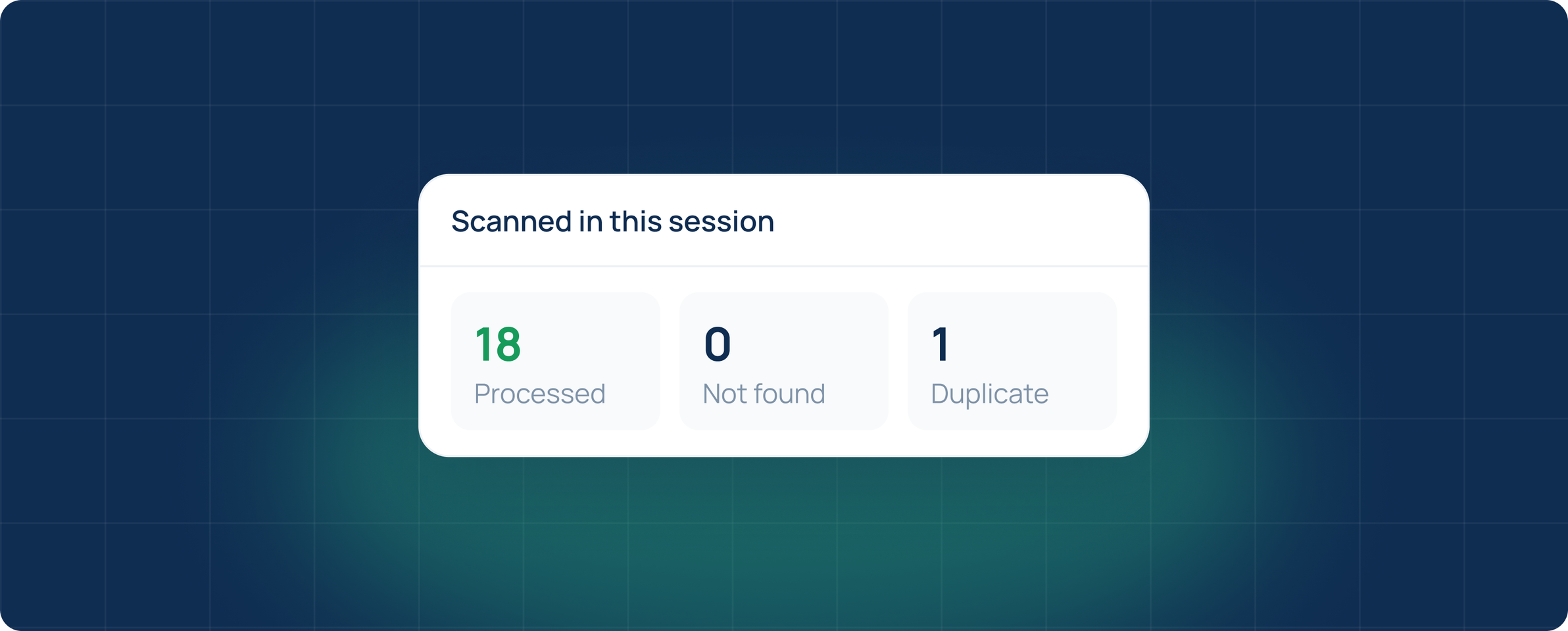
Three numbers tell you how the dock is doing. Processed should match the shipments you created. Not found means a label that does not belong to any open shipment. Duplicate means the same label was scanned more than once.
See scan to verify with your own orders.
A 20 minute walkthrough with your marketplaces and carriers.
Questions
Do I need special scanners?
No. Any USB barcode scanner that types into a text field works with Scan Labels.
Can packers create or edit shipments?
No. The Warehouse role only opens Scan Labels, so packers can scan boxes and see the counts but cannot create, edit or void a shipment.
What happens with multi package orders?
Every box in a multi package order has its own tracking number, so each one is scanned on its own. The order counts as processed once every package in it has been scanned.